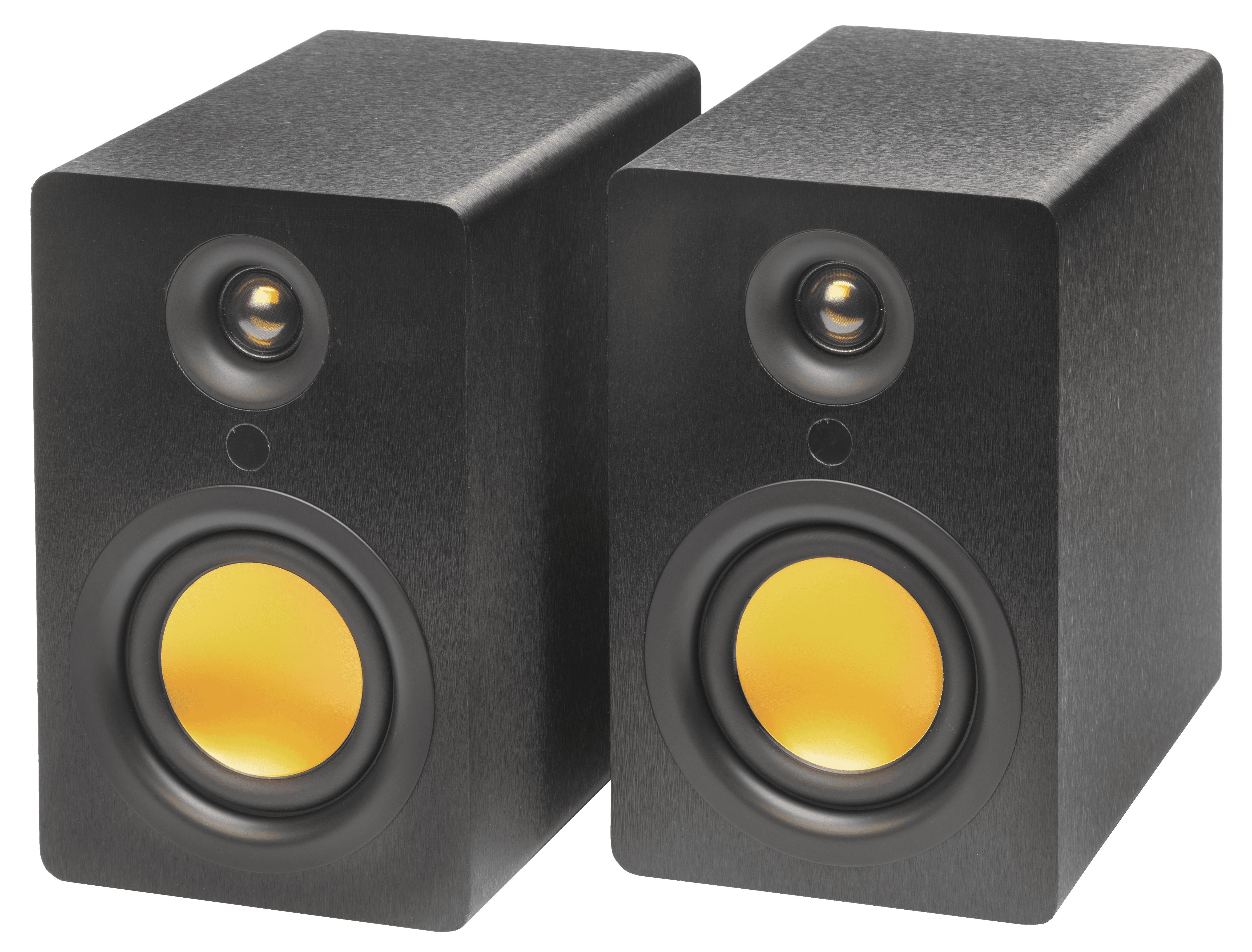

Clearer TV dialogue usually comes from a few small changes rather than one big fix. Check the TV’s sound settings first, then look at where the sound is coming from and how the room treats it. Moving the sound out of a thin TV and into a pair of speakers either side of the screen can help too. None of these is a guarantee, but together they often make voices easier to follow.
Why is TV dialogue hard to hear?
There are a few common reasons, and most homes have more than one at once.
Thin TVs have little room for speakers. A flat screen leaves space only for small drivers, and they often face down or backwards rather than towards you. Sound bounces off the furniture or the wall before it reaches your ears.
Film soundtracks have a wide range. Many films and dramas are mixed with quiet speech and loud music and effects. Turn up the voices and the action scenes become too loud.
Processing can blur voices. Settings that try to make the sound wider or bigger can spread speech around and make it less distinct.
The room adds echo. Hard floors, bare walls and large windows reflect sound, and those reflections smear the edges of words.
Which TV settings help with dialogue?
Start here, because it costs nothing. The names differ between makers, so look through the sound menu for options like these.
Dialogue or clear voice mode. Many TVs have a setting that lifts the frequencies where speech sits. Try it with a programme you find hard to follow.
Night mode or volume levelling. These reduce the gap between quiet and loud passages, so you can hear speech without the explosions being too much.
Virtual surround. If your TV has a surround or 3D sound effect, try switching it off. Plain stereo often keeps voices more focused.
Bass boost and EQ presets. Heavy bass settings can mask voices. A neutral or standard preset is a good starting point.
Digital audio output. If you use external speakers that play two channels, setting the TV’s digital output to PCM or stereo lets the TV fold the centre channel, where most dialogue lives, into left and right.
Does speaker placement affect dialogue?
Yes, quite a lot. In a stereo mix, dialogue usually sits in the middle, made by both speakers playing it equally. That centre image is clearest when the two speakers are set up as a matched pair.
Put one speaker either side of the screen, so the voices appear to come from the picture.
Keep both at the same distance from your seat, so neither side pulls the voices towards it.
Raise the tweeters close to ear height when you are seated. Speech carries a lot of detail in the higher frequencies, and those travel in a narrower beam.
Angle them slightly towards you. A gentle toe-in often makes voices more focused.
Keep them clear of obstructions. A speaker hidden behind a cabinet door or pushed deep into a shelf will sound muffled.
Our guide to the best kind of speakers for a TV covers what to look for in a pair, and our article on where speakers should be placed goes further on positioning.
How does the room change what you hear?
A room with lots of hard surfaces sends sound back at you from every direction, and speech suffers first. You do not need to treat the room like a studio. A rug on a hard floor, curtains over large windows, a sofa with cushions and a full bookcase all soak up reflections. Our article on what makes a room sound calm explains how soft furnishings change the sound.
Background noise matters too. A dishwasher, a fan or a busy road all compete with quiet speech, so it is worth noticing what else is running when dialogue seems hard to hear.
What about volume?
Turning up the volume helps a little, until the loud scenes become too much. That is why levelling settings, placement and the room often do more than volume alone.
Can stereo speakers help with TV dialogue?
They can. A real stereo pair either side of the screen moves the sound out of the TV’s thin cabinet and gives voices a clearer centre to come from. Placement and a good pair can help, alongside the settings above.
uStream Three, uStream Two, uStream One and uStream Cube all connect to a TV through HDMI eARC, and with the uStream One and uStream Cube your TV remote controls the volume. There is no wire between the speakers, so you can place each one where it sounds best beside the screen. On the uStream Two and uStream Three, all the inputs sit on the left speaker.
Frequently asked questions
Why can’t I hear dialogue on my TV?
Small built-in speakers, soundtracks with a wide volume range, sound processing and an echoey room are the usual reasons. Often it is a mix of several.
What TV setting makes voices clearer?
Look for a dialogue, clear voice or speech mode in the sound menu. Night mode and switching off virtual surround can help too.
Do external speakers make TV dialogue clearer?
They can help, especially a stereo pair placed either side of the screen at roughly ear height. Settings and the room still play a part.
Does night mode help dialogue?
It can. Night mode narrows the gap between quiet and loud sounds, so speech is easier to hear without the louder scenes jumping out.
Follow Mitchell Acoustics on Facebook, Instagram, YouTube, X, Threads, Pinterest, LinkedIn and TikTok for new uStream guides, setup films and listening tips.