Bluetooth speakers lag behind the TV because Bluetooth audio has to be compressed, sent in small packets, stored briefly in a buffer and decoded before you hear it. Each step takes a little time, and together they can put the sound noticeably behind the picture. The fix is usually a TV sync setting, a firmware update or a wired link such as HDMI eARC.
Why does Bluetooth add a delay?
Bluetooth was designed to send audio reliably over a short wireless link, not to keep perfect time with a picture. To get sound from the TV to the speaker, the TV first encodes the audio with a codec, a method of squeezing it into a smaller stream. It then sends that stream in packets. The speaker holds a few packets in a buffer, so a brief drop in the signal does not cause a gap, then decodes them and plays the sound.
The buffer is the main cause of the lag. It protects you from stutters, but it means the speaker is always playing slightly behind what it receives. Codecs matter too. Some are built for low delay, but they only help if both the TV and the speaker support the same one. When they do not, the two fall back to a standard codec that is dependable but slower.
With music this does not matter, because there is no picture to match. With TV, film and games, even a short delay can be easy to notice.
How can you tell if the sound is out of sync?
Watch someone talking in close-up. If their lips move before you hear the words, the sound is behind the picture. A news presenter is a good test.
Other signs include footsteps or a door closing that land just after you see them, and sound effects in games that feel slow to respond. If the delay comes and goes, the cause may be a weak signal rather than the codec alone.
How do you fix Bluetooth audio delay on a TV?
Try these steps in order.
Check the TV’s audio sync setting. Many TVs have an option called audio sync, AV sync, lip sync or audio delay in the sound menu. Some sets also adjust for Bluetooth automatically. Be aware that on many TVs this setting can only delay the sound further, which helps when the sound runs ahead of the picture but not when it lags behind.
Check the speaker’s own app or settings. Some speakers include a sync or delay adjustment of their own.
Update the firmware. TV and speaker updates can improve Bluetooth performance, so install any that are available.
Keep the devices close. Put the speaker within easy reach of the TV, with a clear path between them, and move other wireless devices away if you can.
Pair them again. Remove the speaker from the TV’s Bluetooth list, switch both off and on, and pair from scratch.
Switch to a wired connection. If the delay remains, connect through HDMI eARC or optical instead.
Why does a wired connection fix the lag?
A wired digital link avoids the buffering a wireless link needs. With HDMI eARC the TV sends its sound straight down the HDMI cable to the speakers, and because HDMI also carries control signals, the TV remote normally adjusts the volume. Optical is another good option for powered speakers with an optical input, though the TV remote usually cannot control the volume over it.
If you are not sure which connections your TV has, our guide to TV audio outputs maps them out. For a closer look at the two main wired choices, read our HDMI and optical comparison.
Is Bluetooth ever the right choice for a TV?
Yes. It is handy for a TV in a bedroom or kitchen, for music apps on the TV, and for times when running a cable is not practical. Many people find a small delay easy to live with for casual viewing. For films and regular evening TV, though, a wired link is the more dependable route, and it keeps Bluetooth free for your phone.
How do uStream speakers connect to a TV?
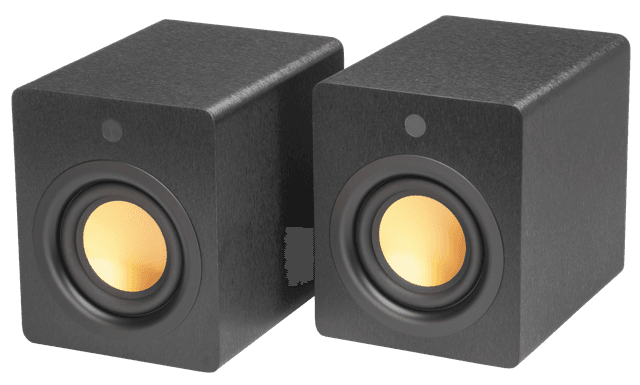
A pair of uStream Three, uStream Two, uStream One or uStream Cube speakers connects to a TV through HDMI eARC. The uStream Three, uStream Two and uStream One also have an optical input. All the inputs sit on the left speaker, so whatever your TV plays comes through your pair. Our guide to connecting speakers to a TV over HDMI takes you through the setup, and the best kind of speakers for a TV helps if you are still choosing.
Frequently asked questions
Why is my Bluetooth speaker out of sync with my TV?
Bluetooth buffers and decodes the audio before playing it, which adds a short delay. Check the TV’s audio sync setting, update the firmware or switch to HDMI eARC.
Can you fix Bluetooth lip sync problems?
Often, yes. A TV or speaker sync setting, a firmware update or pairing again can help. A wired connection is the most reliable fix.
Does HDMI eARC have less delay than Bluetooth?
Generally, yes. HDMI eARC is a wired digital link, so it avoids wireless buffering and is less prone to the lag Bluetooth can add.
Is Bluetooth good for TV sound?
It works well for casual viewing and music. For films and everyday TV, HDMI eARC or optical is usually the better choice.
Follow Mitchell Acoustics on Facebook, Instagram, YouTube, X, Threads, Pinterest, LinkedIn and TikTok for new uStream guides, setup films and listening tips.