
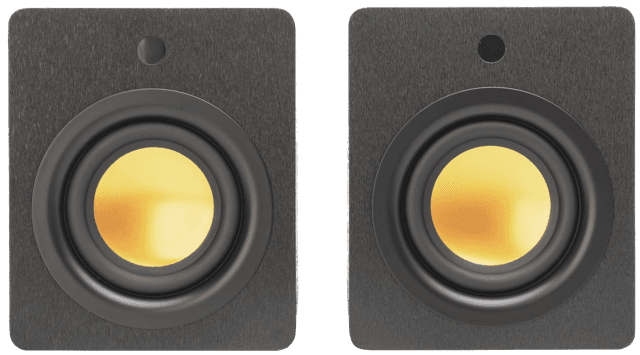
Set desk speakers up as a small triangle with your head, so the speakers are about as far from each other as each one is from you. Angle them in so they point at your ears, raise them so the tweeters sit near ear height, and lift them off the desk surface if you can. Those few changes make more difference to desk listening than almost anything else.
Why does speaker placement matter so much on a desk?
At a desk you sit very close to the speakers. That is called near-field listening, and it has a big advantage: you hear mostly the speakers and much less of the room. It also means small changes in position are easy to hear. A speaker a little too low, too close to the wall or sitting on a hollow desk can sound dull, boomy or lopsided, even if it is a good speaker.
How far apart should desk speakers be?
Aim for an equilateral triangle. Measure the distance between the two speakers, then make the distance from each speaker to your head about the same. On most desks that means the speakers sit on either side of your monitor, a little way out from its edges.
If they are too close together, the sound bunches in the middle and loses width. Too far apart, and a gap opens up between them, so voices lose their place in the centre. Our guide to getting a solid centre image explains how to check you have it right.
Should desk speakers point at you?
Yes. Turn each speaker in so it points towards your head. A simple test is to sit in your usual position and check that you can see the inner side of each speaker only very slightly, or not at all. Tweeters send treble out in a narrow beam, so pointing them at you keeps the detail and keeps both sides balanced.
How high should desk speakers be?
The tweeter should be roughly level with your ears when you are seated. Most speakers placed flat on a desk sit too low, so the treble aims at your chest and the sound loses clarity.
There are two easy fixes. Small desk stands lift the speakers to the right height. Angled wedges or pads tilt them up towards your ears. Either works, and stands have the added benefit of moving the speakers clear of the desk surface.
Does the desk itself affect the sound?
Often it does. Many desks are thin panels with hollow space beneath, and they can vibrate along with the speaker. That adds a woolly, boomy edge to bass and can make the whole desk hum on certain notes.
Isolation pads, foam wedges or a solid stand all help by decoupling the speaker from the surface. If you are not sure whether your desk is the problem, rest your hand on it while music plays. If you can feel it buzzing, the desk is joining in.
How far from the wall should desk speakers be?
Give them a little space from the wall behind the desk. Close to a wall, bass builds up and can sound heavy and slow, especially with speakers that have a port on the back. Moving them forward even slightly tightens the sound. Avoid tucking them into the corners of a desk that sits in a room corner, which adds even more bass.
The same ideas apply in any compact room. Our guide to big sound in small rooms covers flats and bedrooms more widely, and our guide to the best speakers for a small room helps you choose a pair.
How loud should desk speakers be?
Quieter than you might think. Because you sit so close, a modest volume gives you plenty of detail, and you hear the music clearly without filling the rest of the home. That is good news for anyone sharing walls with neighbours or working while others sleep. If you have to turn the speakers right up to enjoy them, check the placement first.
Can uStream Cube work on a desk?
Each uStream Cube speaker measures 150 x 200 x 180 mm, so a pair can sit on either side of a monitor. Each one runs a 106 mm driver with a magnesium alloy diaphragm and 35W RMS, 70W RMS for the pair. A laptop connects by Bluetooth 5.3 or the 3.5 mm aux input, and HDMI eARC is there for a TV. The pair links automatically with no app and no Wi-Fi, and there is no wire between the speakers, so each one goes where it sounds best on the desk.
Frequently asked questions
Where should speakers go on a desk?
On either side of your monitor, forming a triangle with your head, angled in and with the tweeters near ear height.
Should desk speakers be on stands?
Stands are not essential, but they help. They raise the tweeters to ear height and lift the speakers off a desk surface that may vibrate.
Should computer speakers face you directly?
Yes. Angle each speaker so it points at your head. That keeps the treble clear and both channels balanced.
Can you put speakers against the wall behind a desk?
You can, but the bass may become heavy. Leave a little space behind them, especially if they have rear ports.
Follow Mitchell Acoustics on Facebook, Instagram, YouTube, X, Threads, Pinterest, LinkedIn and TikTok for new uStream guides, setup films and listening tips.

